
 EU
EU
 UK
UK
 US
US
 CA
CA



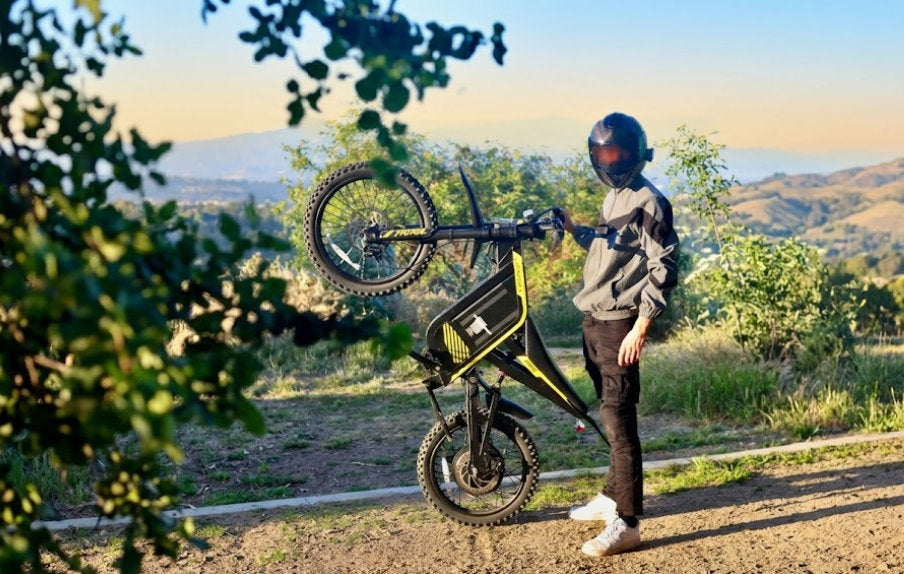
Looking for an auto wheelie bike? Our Jasion Poki brings One-Touch Wheelie Mode and app-adjustable angles from 15° to 60° to a throttle-controlled electric mini bike. The system assists with wheelie riding while you remain in control. Here is how the mode works, where to find its settings, and how to prepare for a session.
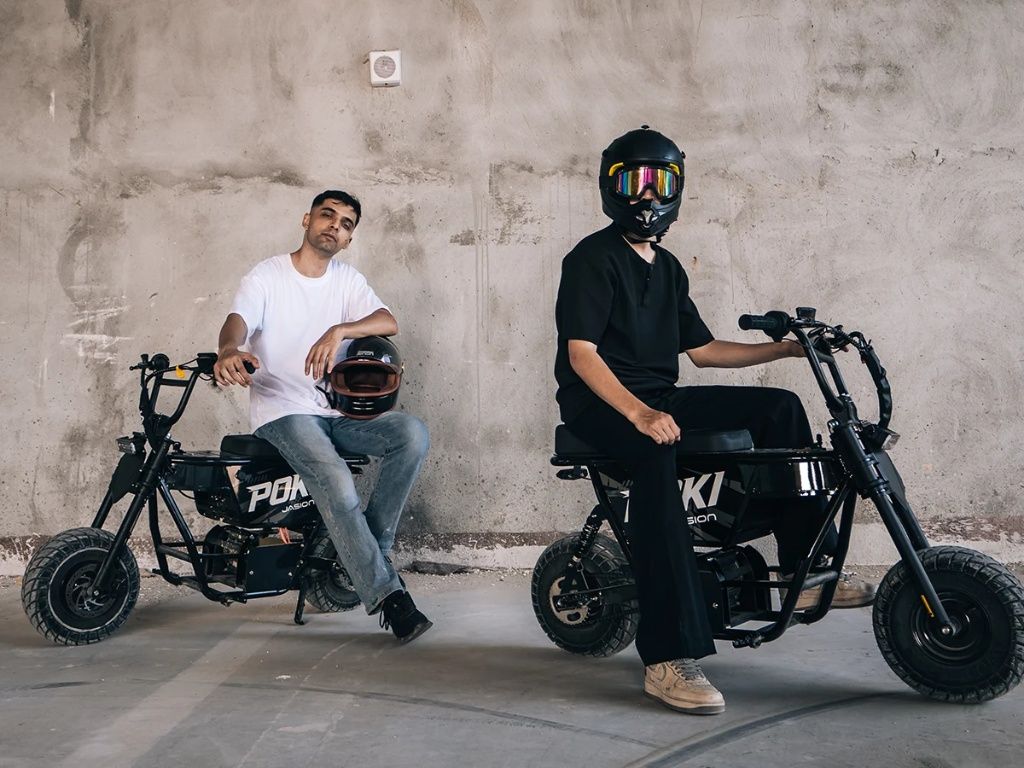
The appeal is easy to see: a compact mini moto, a front-wheel-up moment, and a setup you can make your own. Poki gives that playful side of riding a dedicated mode. Get to know the controls, choose your setting, and give the ride your full attention.
Explore Poki and Its Wheelie Mode

What Does an Auto Wheelie Bike Actually Do?
An auto wheelie bike is a search term riders use when looking for help with front-wheel-up riding. It does not describe one standardized control system. On Poki, the feature is called One-Touch Wheelie Mode: a dedicated assist function with an angle setting you can adjust in the app.
Poki's controls identify H and F as Wheelie Mode selections. The feature assists the rider with holding a wheelie after bringing the front wheel up. Selecting the mode and choosing an angle are parts of the setup; controlling the bike remains a riding task.
If you have been searching for an automatic wheelie bike, keep that distinction in mind. One-touch access does not mean autonomous riding or a promise of automatic balance. You still need to manage your inputs, body position, direction, and return to two wheels.
That is part of the interest. You have a feature to learn and settings to understand, rather than just a bigger power figure to compare.
Watch Poki in Action
Start with the video featured on our Poki product page. Watch the bike and the rider together: the controls and body movement belong in the picture alongside the moment the front wheel rises.
A demonstration gives you a feel for Poki's recreational character. Use the operating instructions supplied with your bike for activation, disengagement, and model-specific requirements.
How to Set Up Poki Wheelie Mode in the App
The settings path is Bike Settings → Personalize → Wheelie Limit. The sequence below applies to the Poki app layout with High/Fast tabs and a Wheelie Angle control. Screen names and available controls can vary with software version; if your screen differs, use the instructions for your bike before making changes.
- Park before you configure. Keep the bike stationary in a clear area. Open the Jasion app and connect to your own Poki using its supplied pairing instructions.
- Open Bike Settings, then Personalize. Check that you are configuring the intended bike, especially if you have access to more than one.
- Find Wheelie Limit and select High or Fast. These are separate selections in this interface. Check the selected tab before adjusting its angle.
- Adjust Wheelie Angle. The supported setting range is 15°–60°. Choose a setting consistent with the instructions and your experience. The highest available angle is not a starting recommendation or a target everyone needs to reach.
- Tap Save. Review the selected mode and displayed angle before putting the phone away. If the value does not save or the app disconnects, resolve that before riding.

The angle on the screen is a selected setting, not a guarantee that every maneuver will follow an exact angle under every condition. It also does not establish a safe angle for a particular rider.
Wheelie Angle, Throttle Mode, and Acceleration Are Different Settings
The Personalize screen includes more than the wheelie control. Understanding the separate adjustments helps you avoid changing several aspects of the bike at once.
| Setting | What it controls | What to remember |
|---|---|---|
| Wheelie Limit / Wheelie Angle | High/Fast selection and the associated angle setting. | Confirm which tab you are editing before saving. |
| Throttle Mode | Choice of Linear, Sport, or Eco throttle response. | These labels are not wheelie-angle presets. |
| Acceleration Level | Acceleration response; increasing the value makes the response quicker. | Do not copy a screenshot's number as a recommended setup. |
Record your starting settings before changing them, then change one item at a time. That makes it easier to understand what changed and to restore the previous setup. Leave advanced electrical parameters, including battery voltage, maximum current, and brake cutoff, to qualified support guidance.
Ride Modes, Reverse, and Wheelie Mode: Know the Difference
Poki separates ordinary Ride Modes 1, 2, and 3, Reverse Mode R, and Wheelie Mode H/F. Choosing a normal ride mode does not replace selecting the dedicated wheelie function. Reverse has a separate job: maneuvering the bike backward.
Before exploring an electric wheelie bike, know how to identify the current mode, stop normally, and disengage the function using the instructions for your delivered controls. If you cannot explain those actions before the session, spend that session getting familiar with ordinary riding instead.
Want the broader picture, including the bike's design and ownership details? Read our Jasion Poki features guide. This page stays focused on Wheelie Mode and its settings.
Make the Session About Riding, Not Chasing a Number
You do not need a higher angle every time you go out. A worthwhile session can be getting comfortable with the controls, understanding one setting, or finishing with a clear idea of what you want to work on next.
Bring a riding friend and take turns. If someone is filming, choose their position before the riding starts and keep them outside the riding line. A fixed camera lets the rider concentrate on the bike. Save the app adjustments, playback, and setup comparisons for the pauses between rides.
Poki's mini moto format and dedicated Wheelie Mode give the session a playful focus. The better clip is the one you planned, with enough room for the ride and the stop.
Before an Ebike Wheelie Session: Five Checks
- Permission and space. Use a clear, controlled area where both the vehicle and the activity are permitted. Keep traffic, pedestrians, pets, and spectators out of the riding area. A location in a video is not proof of access permission.
- Surface. Check for gravel, moisture, debris, holes, and changes in grip. Leave room for normal riding and stopping; avoid obstacles and edges.
- Protective equipment. Wear a properly fitted helmet appropriate to the riding, gloves, protective clothing, and suitable footwear. Equipment reduces exposure but cannot make a maneuver risk-free.
- Bike condition. Complete the pre-ride checks in your manual, including tires, brakes, controls, and fasteners. Use the specified pressures and procedures rather than a number from another bike.
- Your setup. Confirm the current mode and saved settings, put the phone away, and make sure you know the prescribed way to exit the function. Stop if controls behave unexpectedly.
Poki Wheelie Mode FAQ
Does every electric bike have a wheelie mode?
No. Motor power alone does not establish that a bike has dedicated wheelie assistance or app-adjustable wheelie settings. Look for an explicitly supported feature and operating instructions for the exact model.
What is the difference between High and Fast?
They are separate Wheelie Limit selections in the Poki interface, each with an adjustable angle. Use your bike's operating instructions for their specific behavior and activation conditions; the names alone are not a basis for choosing one as easier or safer.
What if Wheelie settings do not appear in my app?
While parked, check that the app is connected to the correct Poki and that your account has the required access. Compare your screen with the instructions supplied for your bike. If the controls still differ or settings will not save, contact support with your bike details, app version, and a screenshot before attempting to use the feature.
Can I use Wheelie Mode on public roads?
Do not assume so. Vehicle access and permission to perform a maneuver are separate questions. Confirm the rules for the exact location and use a controlled, permitted riding area for the session.
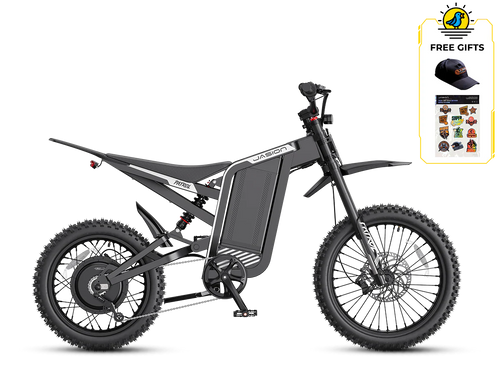
Ready to explore your own setup? See Poki's current colors and purchase options in the product card above, then plan a riding session with room to learn the controls and enjoy the bike.



Share: