
 EU
EU
 UK
UK
 US
US
 CA
CA



Many routine electric bike repairs and maintenance tasks can be handled at home with basic tools and the correct model instructions. This guide covers Jasion ebike manuals, replacement keys, parts, batteries, tires, brake pads, chain care, shifting and simple electrical checks.
Before ordering a part or changing a display setting, confirm the model name and production version of your bike. Manuals, batteries, displays, controllers and other electrical parts can differ between models and versions.

Jasion Ebike Manuals, Parts Lists and Replacement Parts
The official Jasion manual download page includes assembly instructions and user manuals for current and earlier models. Owners searching for a Jasion EB5 Max manual, EB5 Plus manual, EB6 manual, EB7 manual, X-Hunter manual or RetroVolt manual should choose the guide that matches the bike and display version.
A user manual provides model specific assembly, operation and display information. The amount of component detail varies, so it may not include a complete Jasion ebike parts diagram. For batteries, chargers, tires, tubes and other available items, check the official Jasion parts and accessories collection. If a replacement part is not listed, prepare the bike model, order details and clear photos of the original component before contacting support.
| What you need | What to confirm | Best starting point |
|---|---|---|
| Jasion electric bike manual | Model name and display version | Official manual page |
| Battery, charger, tire or inner tube | Bike model, size, voltage, mount and connector as applicable | Official parts collection |
| Jasion brake pads | Brake caliper model and original pad shape | Installed brake component |
| Display, screen, throttle, controller, motor or key | Bike model, production version, order details, part label and photos | Jasion Support |
How to Request a Jasion Ebike Key Replacement
The correct Jasion ebike key replacement depends on the bike and the lock fitted to it. Prepare the model, order number when available, and clear photos of the key area and any remaining key. Then contact Jasion Support so the team can confirm the available replacement option.
Before You Begin
- Turn the bike off before maintenance.
- Remove the battery before working on wheels, brakes, the drivetrain or visible electrical connections.
- Support the bike on a stable surface or repair stand.
- Use the torque values and display instructions listed for your model.
Useful Tools for Electric Bike Repair and Maintenance
- Allen keys and screwdrivers
- Combination or adjustable wrenches
- Tire levers, pump and pressure gauge
- Bicycle chain lubricant
- Soft brushes and microfiber cloths
- Torque wrench
- Spare inner tube and patch kit
What to Check Before Every Ride
- Air: Check tire pressure and look for cuts, cracks or embedded debris.
- Brakes: Squeeze both levers and make sure the bike stops firmly.
- Chain, cranks and cogs: Check for smooth movement, loose parts or unusual noise.
- Electrical system: Confirm that the display, pedal assist and throttle, where fitted, respond normally.
Electric Bicycle Maintenance Schedule
| Frequency | Maintenance | Time |
|---|---|---|
| Every ride | Check tires, brakes, chain, display and visible cables | 1 minute |
| Weekly | Wipe the frame and chain, add chain lubricant when needed, and inspect the tires | 10 minutes |
| Monthly | Inspect brake pads, rotors, shifting, spokes, battery contacts and key fasteners | 20 to 30 minutes |
| After rain or mud | Clean gently, dry the bike and lubricate the chain away from the brakes | 15 to 25 minutes |
Loose fasteners can cause noise and affect ride quality. The electric bike bolt and screw maintenance guide explains what to inspect and how to use the model torque information.
How to Clean an Electric Bike
- Turn the bike off and remove the battery.
- Use a soft brush, sponge, damp cloth and mild bike cleaner.
- Clean around the display, motor cable and battery contacts with a damp cloth.
- Dry the bike before reinstalling the battery or charging.
- Avoid pressure washers and keep chain lubricant away from brake pads and rotors.
Jasion Ebike Battery Care and Replacement
Good charging and storage habits help an ebike battery deliver consistent performance. Use the original charger or follow the Jasion charger compatibility guide to choose a replacement confirmed for the exact model. Keep the charging port and battery contacts clean and dry, and charge in a dry area at a moderate indoor temperature. For longer storage, follow the model manual and the Jasion battery care guide.
Pause charging and contact support if a battery is swollen, leaking, physically damaged, unusually hot or producing a strong odor.
Jasion Ebike Battery Not Charging
- Check the wall outlet.
- Confirm that the charger is connected securely and note the indicator light.
- Make sure the battery is fully seated and locked.
- Let a very hot or cold battery return to room temperature.
- Turn the bike off, wait about 30 seconds and restart it.
If charging still does not begin, record the model, charger indicator and any display code so support can review the issue efficiently.
Choosing a Jasion Replacement Battery
Choose a battery listed for the exact Jasion model or series. Confirm the model name, voltage, mount and connector on the product page before ordering. The official collection currently includes model specific battery packs and a Jasion battery charger, but availability can change.
JasionBike Ebike Tire, Inner Tube and Rear Wheel Replacement
Check the size printed on the original tire before buying a replacement. Jasion offers selected model specific tire and tube options, including an EB7 Series Outer Tire and Inner Tube. For other models, match the tire size and follow the model manual for wheel removal.
Flat Tire and Inner Tube Replacement
- Turn off the bike, remove the battery and support the bike securely.
- Remove the wheel according to the model manual.
- Use tire levers to remove one side of the tire and take out the tube.
- Find and remove the object that caused the puncture.
- Install the new tube, seat the tire evenly and inflate it to the range printed on the tire.
- Reinstall the wheel and check that it spins freely without brake rub.
JasionBike Rear Wheel Replacement
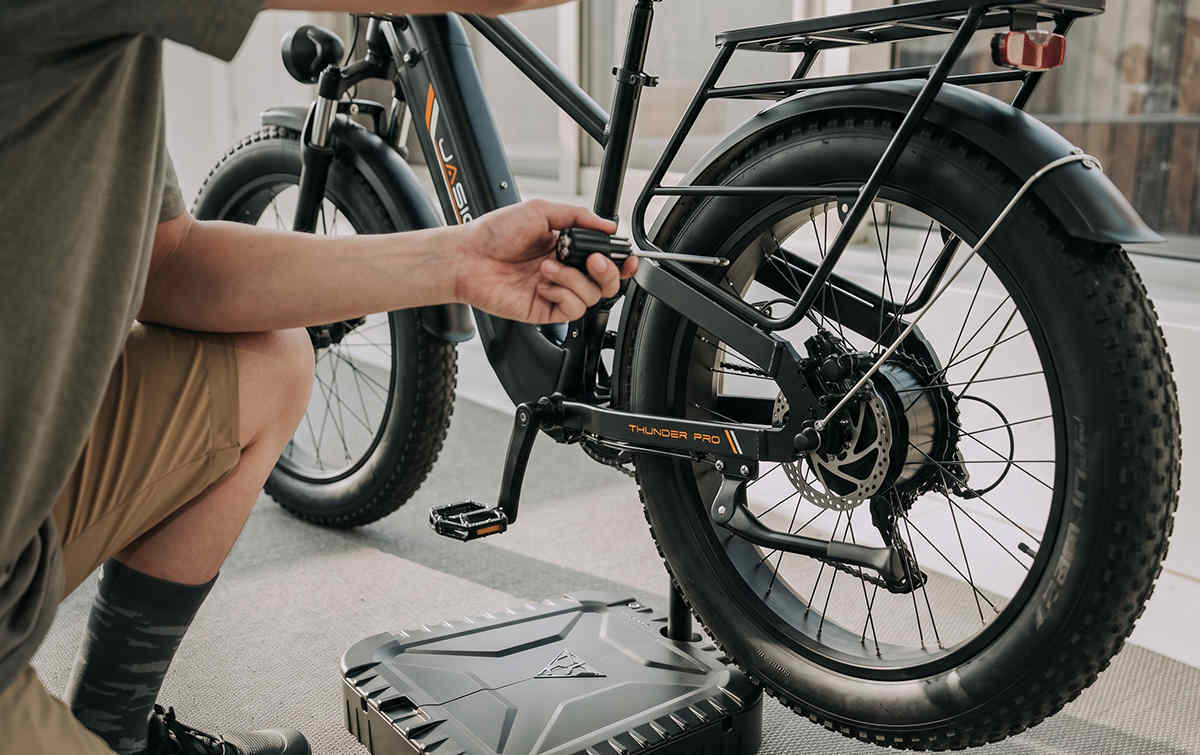
On models with a rear hub motor, photograph the motor cable routing and axle hardware before removal. Hold the connector body when disconnecting the motor cable, keep the axle hardware in order, and follow the model manual for installation and fastener settings. After installation, check the brake and test the bike at low speed in a clear area.
JasionBike Brake Pads and Ebike Brake Repair
The most reliable way to identify Jasion replacement brake pads is by the brake caliper model and the shape of the original pads. An EB5, EB5 Max or X-Hunter may use different brake components across versions, so check the installed caliper before ordering.
Common Brake Checks
- If the brakes squeal, clean the rotor and inspect the pads for wear or contamination.
- If the rotor rubs, check that the wheel is seated correctly and center the caliper.
- For mechanical disc brakes, check cable tension and lever travel.
- For hydraulic disc brakes, check pad wear and make sure the lever feels firm.
Replacing Brake Pads
- Read the caliper brand and model where visible.
- Remove the original pads and compare their shape and retaining clip with the replacement.
- Keep oil and chain lubricant away from the pad surface and rotor.
- Center the caliper after installation.
- Bed in the new pads in a safe, open area.
The Jasion guide to hydraulic and mechanical disc brakes explains how the two systems differ and what maintenance each one needs.
How to Fix Common Chain and Shifting Issues on an Ebike
- Wipe the chain after wet or dusty rides.
- Apply a small amount of bicycle chain lubricant to the rollers and wipe off the excess.
- Inspect the chain for rust, stiff links and wear.
- Check the shift cable and housing if the gears click, skip or fail to reach a gear.
- Use small barrel adjuster changes for minor indexing corrections.
If the bike was dropped on the derailleur side and shifting changed immediately, inspect the derailleur and hanger alignment before making larger adjustments.
Jasion Display, Screen, Throttle, Controller and Motor Checks
Begin with simple external checks. Jasion error codes, button layouts and display settings vary by model and display version, so use the instructions that match the bike.
| Issue | First checks |
|---|---|
| Bike will not power on | Check battery charge, seating, lock position and visible connectors |
| Display or screen is blank or intermittent | Check the display cable and handlebar wiring, then restart the bike |
| Throttle or pedal assist is not responding | Release both brake levers, check the model setting and inspect visible connectors |
| Motor cuts out | Check the battery, motor cable, brake drag and any error code |
A basic restart is a useful first step: turn the bike off, wait about 30 seconds, then power it on without touching the throttle or brake levers. The Jasion electric bike troubleshooting guide covers more common problems and checks. For display restart and model specific reset information, see How to Reset an Ebike Controller and Display.
Choosing a Replacement Display, Throttle, Controller or Motor
Do not choose an electrical replacement part by appearance alone. Match the bike model and production version, then compare the original part label, voltage, connector and mounting details where applicable. This is especially important for a Jasion screen replacement, throttle replacement, controller replacement or motor replacement because the settings and wiring can vary.
Get the Right Jasion Part or Service
For a replacement key, a model specific part, a warranty question or an issue that continues after the checks above, prepare the bike model, order number, clear photos, a short video and any error code. This helps Jasion Support identify the correct next step.
More routine care articles are available in the Jasion maintenance and repair guide collection.
Jasion Ebike Repair FAQ
Where can I download a Jasion electric bike manual?
Use the official Jasion manual download page and choose the guide that matches your model and display version. Manuals are available for models including EB5 Max, EB5 Plus, EB6, EB7, X-Hunter, RetroVolt and other current or earlier Jasion bikes.
How do I get a Jasion ebike replacement key?
Prepare the bike model, order number when available, and clear photos of the key area. Jasion Support can review the details and confirm the available replacement option for that bike.
Where can I find Jasion replacement parts, a parts list or a parts diagram?
Start with the manual for the exact model and the official Jasion parts and accessories collection. Manual detail varies by model, so contact Jasion Support when a component is not shown clearly or is not listed online.
Which brake pads fit a Jasion EB5 or X-Hunter?
Confirm the brake caliper model and compare the shape of the original pad. Brake components can vary by model and production version, so the installed caliper is the best reference before ordering.
How do I replace a Jasion rear tire or inner tube?
Check the size printed on the original tire, remove the battery, and follow the model manual for wheel removal. After replacing the tire or tube, reinstall the wheel and confirm that it spins freely and the brake works normally.
How often should I lubricate an ebike chain?
Lubricate the chain when it sounds dry, after wet rides, or after a deeper cleaning. Apply a small amount to the rollers and wipe away the excess so it does not attract dirt.
Why do my brakes squeal after I lubricate the chain?
Chain lubricant may have reached the rotor or pads. Keep lubricant away from the braking surfaces, clean the rotor with a suitable brake cleaner, and inspect the pads if the noise or weak braking continues.
Can I wash my electric bike with a pressure washer?
A pressure washer is not recommended. Use a soft brush, sponge or damp cloth and keep strong water pressure away from bearings, battery contacts, displays, connectors and motor cables.
What should I check when a Jasion ebike will not turn on?
Check the battery charge, seating and lock position, then inspect visible cables and connectors. Release both brake levers, restart the bike, and note any error code shown on the display.
What should I check when a Jasion throttle is not working?
Make sure the display is on, the selected assist or throttle setting is correct for the model, and neither brake lever is engaged. Inspect the visible throttle and main harness connectors, then use the matching manual for model specific settings.
How do I choose a replacement Jasion battery, display, controller or motor?
Match the exact bike model and production version, then compare the original part label, voltage, mount and connector where applicable. Use the official product listing or ask Jasion Support to confirm compatibility before ordering.
Where is the serial number on a Jasion ebike?
The label location can vary by model. Check the frame labels, order records and the manual for your bike. Jasion Support can also help when you provide clear photos of the frame and model label.



Share:
5 comments
Can I get a replacement key
why was EB7 st discontinued? Can it still be purchased>
Hello, I have a flat tire on the rear wheel of my Jasion Retrovolt. Tire has a puncture. Do you have any resources on how to remove the back wheel so i can put a new tire on it?
Purchased Jasion Roamer Adult Electric Bike everything ok except throttle not working, how can i replace it, instructions please…
I lost my key to my Jasion E-Bike. How can I get a replacement key for my e-bike with serial number JASIO406226? Thanks.