
 EU
EU
 UK
UK
 US
US
 CA
CA



On a compatible electric bike, removing or raising a speed limiter usually means changing a manufacturer supported speed cap in the display or app. The available controls depend on the bike, display, software, and market version. A setting that works on one model may not appear on another.
Before changing anything, confirm the exact model and display, note the original values, and check the rules for the road, path, trail, or private property where you plan to ride. This guide focuses on built in controls used by compatible Jasion ebikes, not wiring, sensor, controller, or firmware modifications.

What Is an Ebike Speed Limiter?
An ebike can have more than one speed related control. Knowing which one you are looking at prevents unnecessary changes.
| Setting | What it controls | Where it may appear |
|---|---|---|
| User Top Speed | The overall supported motor assisted speed cap | Manufacturer app or display |
| Throttle Speed Limiter | The speed available when using the throttle without pedaling | Compatible app settings |
| PAS Level Speed Limiter | The maximum assist speed assigned to each pedal assist level | Compatible app or model settings |
| PAS Sensitivity | How quickly motor assistance responds after you begin pedaling | Compatible app settings |
| Speed Unit | Whether the display shows mph or km/h | App or display |
Switching from mph to km/h changes only the number format on the screen. It does not make the bike faster. Wheel size, voltage, current, sensor, and controller parameters should remain at the values specified for the exact bike.
Can You Remove the Speed Limiter on an Electric Bike?
Some ebikes allow the rider to raise or lower a supported speed cap. Others use a fixed limit or offer only a limited set of riding modes. Even when a menu includes a higher number, the bike cannot deliver more power or speed than its motor, controller, battery, and software are designed to support.
A supported setting is different from moving a speed sensor, changing wiring, replacing the controller, or installing third party firmware. Those changes alter the electrical system rather than using the controls supplied with the bike.
Before You Change a Speed Setting
- Confirm the complete model name. Jasion publishes separate manuals for some versions of the same model.
- Match the display. Button layouts and parameter numbers can change between production versions.
- Record the original value. Take a clear photo before making an adjustment.
- Change one setting at a time. This makes it easier to confirm what changed and restore the previous setup.
- Choose a suitable test area. Begin at low speed on a clear, predictable surface.
- Check your route rules. A setting that is available on the bike may not be permitted on every public road, path, park, or trail.
How to Change Speed Settings in the Jasion Ride App
The Jasion Ride App currently supports Hunter Pro, Thunder, Thunder Pro, and Thunder Pro ST. Not every supported bike displays every performance option.
- Power on the bike and enable Bluetooth on your phone.
- Open Jasion Ride and connect the correct bike.
- Open the bike settings page.
- Look for User Top Speed, Throttle Speed Limiter, PAS Level Speed Limiter, or PAS Sensitivity.
- Adjust only the option available for your model, then save the change.
- Restart the display if the app asks you to apply the new setting.
- Test the response gradually in a clear area.
On compatible models, switching Throttle Speed Limiter off may allow throttle only operation up to the top speed supported by that model. The highest PAS level still cannot exceed the User Top Speed setting. For app download, Bluetooth pairing, and current compatibility details, use the Jasion Ride App guide.
How to Adjust the Speed Limit on a Jasion X-Hunter
Jasion provides an official X-Hunter guide for the display version shown in the video below. The purpose is to help an X-Hunter reach its expected 30 mph performance when the display speed cap is set too low.
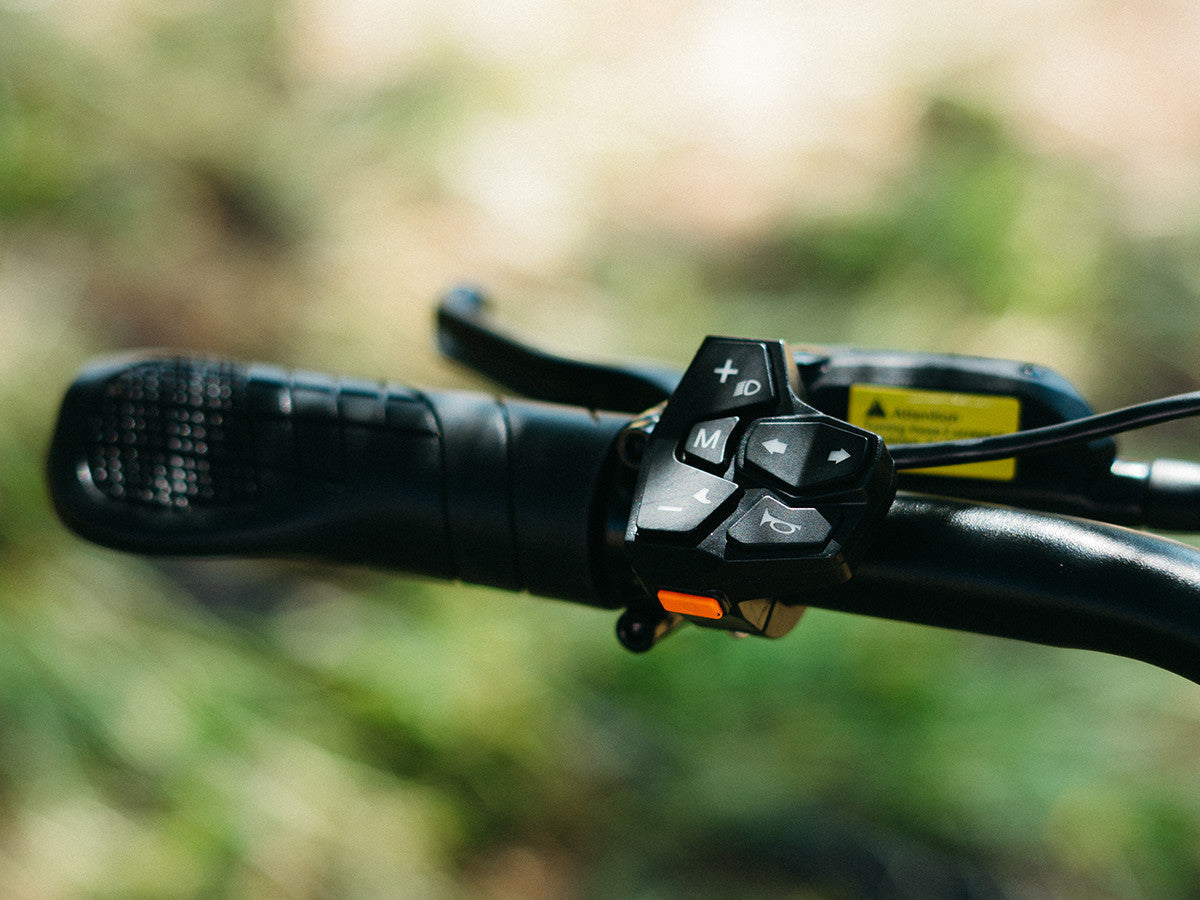
- Press and hold the plus and minus buttons together to enter the settings menu.
- Press the plus button until P07 appears.
- Press the information button to edit the value.
- Use the plus button to set the limit value to 63 km/h.
- Press the information button again to confirm.
- Press and hold plus and minus together to exit.
This procedure applies only when the bike and display match the official guide. Jasion currently lists separate documentation for the original X-Hunter and X-Hunter 2nd Version, so a different display may use another menu or parameter. Check the Jasion user manual download page before using a button sequence from another version.
The 63 km/h value is the display cap used in this guide. It is not a promise that the bike will travel at 63 km/h. Actual top speed remains limited by the bike configuration and riding conditions.
Why Is the Ebike Still Limited?
| What you notice | What to check |
|---|---|
| The app setting changed but speed did not | Save the value, restart the display, and confirm User Top Speed |
| Throttle speed remains lower | Check whether Throttle Speed Limiter is still on |
| Lower PAS levels stop assisting early | Review the speed cap assigned to each PAS level |
| The menu shown online is missing | Confirm the exact model, display, software, and production version |
| The bike feels slow even with the correct cap | Check normal performance factors instead of changing another limiter setting |
If the setting is correct but acceleration or top speed is still below normal, use the electric bike speed settings and troubleshooting guide to check the battery charge, riding mode, tires, brakes, drivetrain, load, and error codes.
How to Restore the Original Setting
Return to the same app or display menu, enter the value you recorded, save, and restart the display. Compatible app models may also offer default settings. If the display becomes unresponsive, start with a normal power cycle before using the guide to reset an ebike controller and display.
Check Local Ebike Laws Before Using a Higher Speed Setting
A higher supported cap can change how the bike fits local class and access rules. In the common three class system, Class 1 uses pedal assist up to 20 mph, Class 2 includes throttle assistance up to 20 mph, and Class 3 generally provides pedal assistance up to 28 mph. States and cities do not all apply these definitions in exactly the same way.
Before riding with a changed setting, check the bike's assisted speed, throttle behavior, motor rating, class label, and the exact place where you will ride. Roads, bike lanes, sidewalks, shared paths, campuses, parks, and trail systems can have different rules. Age, helmet, registration, or license requirements may also depend on the location and whether the bike still fits the local definition of an electric bicycle.
Start with Jasion's Class 1, Class 2, and Class 3 ebike guide, then review the broader 2026 electric bike regulation updates. For a new city, state, park, or trail, confirm the latest guidance from the relevant transportation agency or land manager.
If a current bike does not match the performance or riding environment you need, it may be simpler to compare a purpose built electric bicycle with the speed, frame, controls, and terrain setup that fit your route.
FAQ
How do I remove the speed limiter on an electric bike?
Check whether the bike provides a User Top Speed, throttle limit, or PAS speed limit in its display or manufacturer app. Use only the menu and value range documented for the exact model and display.
What is a throttle speed limiter?
It controls the maximum motor assisted speed available when the throttle is used without pedaling. On compatible Jasion Ride models, this option may be available in the app.
Does changing mph to km/h remove the limiter?
No. It changes only the speed unit shown on the display.
How do I change the speed limit on a Jasion X-Hunter?
For the X-Hunter display shown in Jasion's official guide, open settings, go to P07, set the value to 63 km/h, confirm, and exit. Use the exact model manual when the display or menu is different.
Why is my ebike still limited after changing the setting?
The value may not have been saved, the display may need to restart, the throttle limiter may still be on, a PAS level may have its own cap, or the model may not support the setting you expected.
Can I return to the original speed setting?
Yes. Re-enter the original value you recorded, save it, and restart the display. App compatible models may also include default settings.
Can changing the speed limit affect where I can ride?
Yes. A higher assisted speed or different throttle behavior may affect the bike's class or how local rules treat it. Check state, city, road, park, path, and trail rules before using the changed setting in public.


Share: