
 EU
EU
 UK
UK
 US
US
 CA
CA



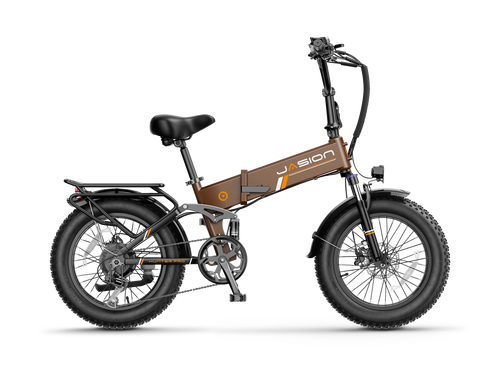
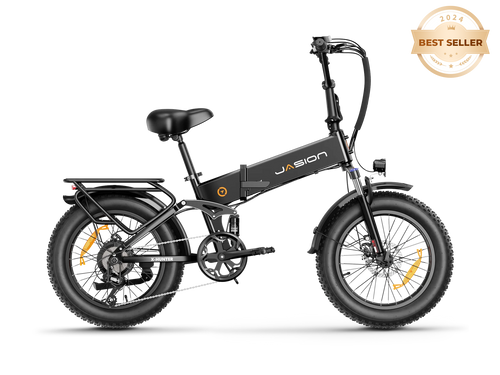
Jasionbike Hunter Pro ebike makes more sense once you know what each control is doing. Its folding frame and 20 inch fat tires are easy to spot, but the parts that shape a ride are the full suspension, hydraulic brakes, five pedal assist levels, twist throttle and the information shown on the display.
This guide covers those everyday functions, from turning the bike on to charging the removable battery. And owners and prospective riders can see how the features work together.

Hunter Pro features at a glance
| Feature | Current specification | What it means on a ride |
|---|---|---|
| Motor | 1000W rated, 1800W peak hub motor; 95 Nm torque | Strong assistance for starts, hills and mixed terrain |
| Battery | 48V 15Ah, 720Wh removable battery | Charge it on or off the bike; advertised range is up to 80 miles |
| Ride controls | Five pedal assist levels, cadence sensor and twist throttle | Choose how much motor support you want instead of riding at one fixed level |
| Drivetrain | Shimano 7 speed | Mechanical gears help keep pedaling comfortable as terrain changes |
| Brakes | Hydraulic disc brakes | Controlled braking with less hand effort than a typical cable operated setup |
| Ride comfort | Full suspension and 20 × 4 inch fat tires | Helps manage broken pavement, gravel and uneven paths |
| Utility | Folding frame, rear rack and 400 lb maximum payload | A compact storage option with room for properly secured cargo |
Motor output, range and top speed are not fixed results. Rider weight, assist level, throttle use, hills, wind, tire pressure, temperature and cargo all affect what you see in real riding. Higher speed modes may also be restricted on public roads, so check the rules where you ride.
Set up the bike before the first ride
Do not treat the first power on as the end of assembly. The manual calls for a full check of the brakes, wheels, steering, drivetrain, battery and electrical cables. If the bike was assembled at home, a bicycle mechanic can confirm that the front wheel, brake caliper, handlebar, pedals, fenders and rear rack are secure.
- Charge the battery fully with the supplied charger.
- Check both tires and use the pressure range printed on the tire sidewall.
- Squeeze both brake levers and confirm that the bike stops normally.
- Check that the handlebar and stem do not twist independently of the front wheel.
- Confirm that the frame latch, seatpost clamp, wheel hardware and pedals are secure.
- Test the headlight, rear light, brake light, turn signals and horn.
- Look for loose electrical connectors, pinched cables or visible damage.
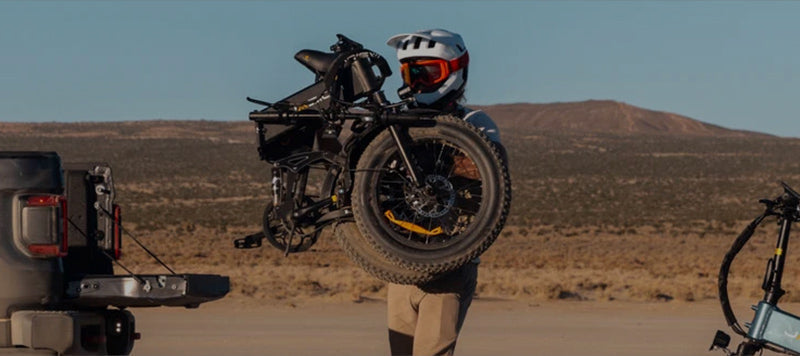
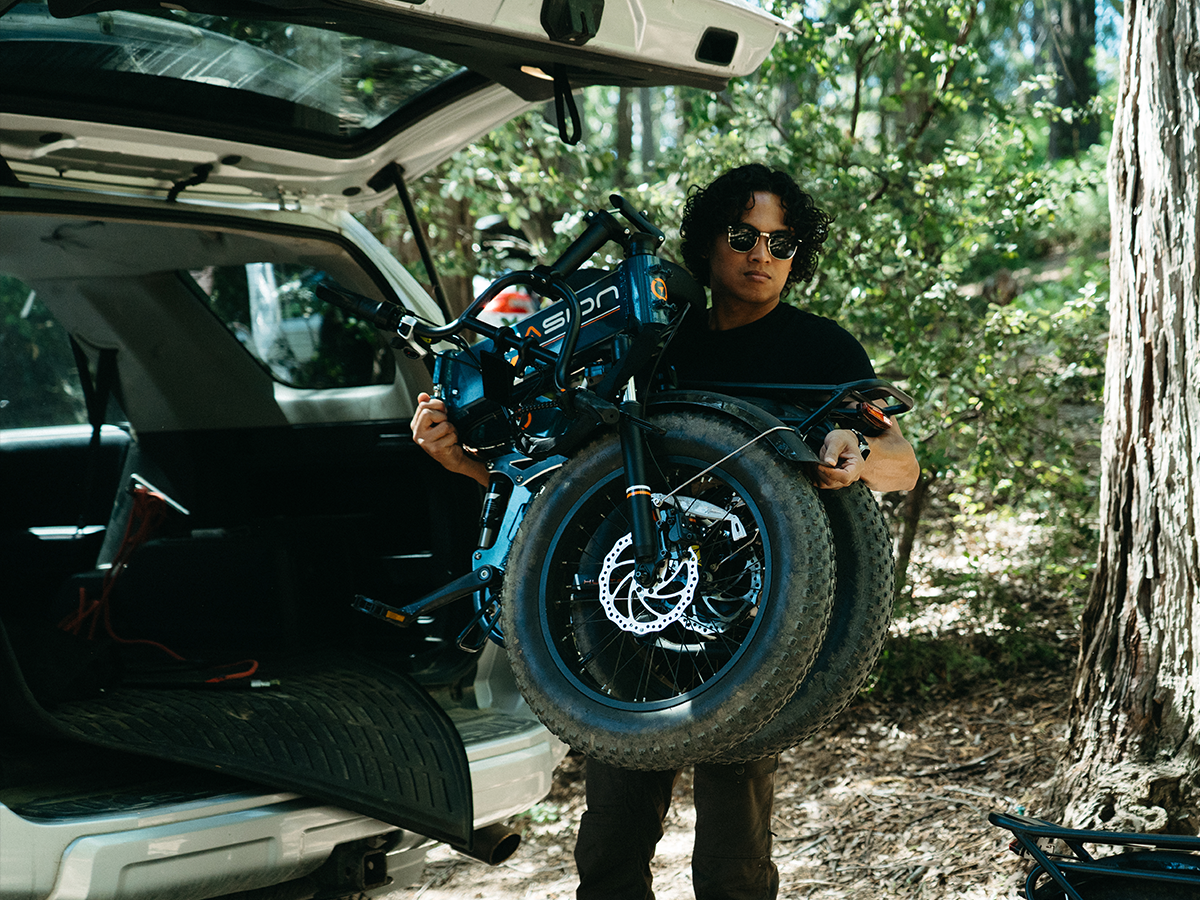
The Hunter Pro weighs 82 lb. If you plan to fold it for an RV or vehicle, measure the storage opening and decide how you will lift it before the trip. Removing the battery can make handling more manageable, but the frame still needs a stable two person lift for riders who are not comfortable moving that weight alone. You can compare other models on the Jasion folding ebike collection.
How to turn on the Hunter Pro
- Insert the battery key and turn it to the ON and locked position.
- Press and hold the display power button for about one second.
- Check the battery bars, PAS level and warning area before moving.
- Start in PAS 0 or PAS 1 until you are familiar with the throttle and motor response.
To shut the display down, stop the bike and hold the power button for about two seconds. The display also enters sleep mode after a period without operation; the factory sleep time shown in the manual is five minutes.
Reading the display without guessing
The large center number is real time speed. The screen also shows PAS level, battery bars, turn signal and headlight indicators, a warning area and a lower information field.
Press the M button to cycle through the lower field:
TRIP → ODO → VOL → POW → AVG → MAX
- TRIP is the distance recorded for the current trip.
- ODO is accumulated mileage.
- VOL shows battery voltage.
- POW shows current motor power information.
- AVG and MAX show average and maximum recorded speed.
The battery bars are a convenient estimate, not a laboratory fuel gauge. Voltage can sag temporarily when the motor is working hard and recover after the load drops. Look at the trend across a ride rather than expecting every bar to fall at an even mileage interval.
Using pedal assist, throttle and gears together
The + and − buttons change pedal assist from 0 through 5. PAS 0 leaves the motor assistance off while keeping the display available. Higher levels provide more support and generally consume the battery faster.
The cadence sensor responds when the cranks turn, so assistance may arrive after you begin pedaling. Start with a low assist level in a clear area and keep a brake covered until the response feels familiar. The twist throttle can move the bike without sustained pedaling when the bike's configuration and local rules allow it. Avoid twisting it while mounting, walking beside the bike or working around the rear wheel.
The Shimano 7 speed system is separate from PAS. Use an easier mechanical gear before a hill or stop, then choose the assist level you need. Ease pressure on the pedals while shifting so the chain can move cleanly. This combination is usually smoother and more efficient than leaving the bike in a hard gear and asking the motor to do everything.
If pedal assist is new to you, the Jasion pedal assist guide explains how the sensor, motor and assist levels work together.
Lights, turn signals, horn and walk assist
- Headlight: press and hold the light control to switch the lighting system on or off. Confirm the headlight indicator appears on the display.
- Turn signals: press the left or right arrow once to start the corresponding signal. Press it again after the turn to cancel it.
- Horn: press the horn button and release it when the warning is complete.
- Walk assist: below 6 km/h, hold the walk assist control while guiding the bike. Release it to stop assistance. Keep both hands ready because the bike is heavy.
Signals and lights improve visibility, but they do not replace a shoulder check, predictable lane position or hand signals where required.
Adjusting comfort without masking a fit problem
Set saddle height so you can control the bike at stops and pedal without excessive hip movement. Never raise the seatpost beyond its minimum insertion mark. The current product page lists the Hunter Pro for riders approximately 5'1" to 6'3", but height alone does not guarantee fit. Reach, inseam, mobility and riding experience matter too.
The front suspension has adjustment and lockout controls. Use an open, more compliant setting for uneven surfaces and a firmer or locked setting for smoother ground when appropriate. Do not ride rough terrain with a setup that prevents the fork from moving as needed. The rear suspension and wide tires add comfort, but tire pressure and body position still have a large effect on control.
For a broader comparison, visit the fat tire ebike collection or the full electric bike collection.
Removing and charging the battery
The key has three working positions: ON and locked, OFF and locked, and OFF and unlocked for removal. Turn the bike off before handling the battery.
- Place the battery in the OFF position.
- Connect the charger's DC plug to the battery charging port.
- Place the charger on a stable, dry surface with ventilation, then connect it to the wall outlet.
- A red charger light indicates charging. A green light indicates completion.
- When charging is complete, unplug the wall outlet first, then disconnect the charger from the battery.
- Close the charging port cover before riding.
Use the charger supplied for this battery, keep the charging area dry and do not charge a damaged, unusually hot, swollen or leaking battery. More storage and charging guidance is available in the ebike battery care guide.
Settings worth using and settings best left alone
The display menu includes backlight brightness, miles or kilometers and automatic sleep time. Those are normal preference settings. It also contains hidden wheel diameter, speed limit and voltage parameters.
Leave the hidden values at their factory settings unless Jasion Support gives model specific instructions. An incorrect wheel diameter can make speed and distance inaccurate. An incorrect voltage value can make the battery display misleading. Changing a speed setting can also put the bike outside local operating rules.
The trip data reset clears TRIP, ride time, average speed and maximum speed. It does not erase the total odometer. That makes it useful when you want to track one commute or weekend ride without changing lifetime mileage.
What to do when a display reading looks wrong
The battery bars do not change after riding
First, stop in a safe place and power the bike off and back on. Record the battery bars and voltage before a normal ride, then photograph the same screens afterward. If the reading remains unchanged or behaves erratically, send those images or a short video to Jasion Support. Support can decide whether a guided display reset, connector check or replacement is appropriate.
The speed changes to zero while the bike is moving
Power the bike off. Check only the motor cable and other connectors that are externally accessible. Look for a loose connection, visible cable damage, contamination or a bent contact, but do not open the motor, controller or display. Record a video showing the wheel moving and the display reading, then contact support. Loss of speed data can involve wiring or an internal speed sensor, and component replacement should be handled through the service process.
If a warning code appears, photograph it before restarting the bike. The manual identifies E60 through E66 as controller, throttle, communication, low voltage, brake, motor phase and Hall related faults. A code narrows the diagnosis; it is not an instruction to replace a part yourself. For other symptoms, use the Jasion ebike troubleshooting guide.
See the Hunter Pro on the road
This authorized review from Papa's Product Reviews shows the bike's layout, controls and ride behavior. Use the current Jasion product page for official specifications and availability.
Who the Hunter Pro fits best
The Hunter Pro is a strong match for a rider who wants a folding fat tire ebike without giving up full suspension, hydraulic brakes or a rear rack. Its 82 lb weight makes it less suitable for someone who must carry a bike up stairs every day. For garage, RV or vehicle storage where the bike can be rolled close to its destination, the folding frame is much more useful.
The five assist levels also give it more range of character than the headline motor figure suggests. PAS 1 can keep a casual ride manageable; higher levels and throttle are there when the route asks for more. Learning those controls is what turns the specification sheet into a bike that feels predictable.
Owners comparing the related model can also read the Jasion X Hunter feature guide.
Frequently asked questions
How do I turn on the Jasion Hunter Pro?
Turn the battery key to the ON and locked position, then press and hold the display power button for about one second. Start in PAS 0 or PAS 1 while you become familiar with the controls.
What do the Hunter Pro PAS levels mean?
The Hunter Pro has PAS 0 through 5. PAS 0 keeps motor assistance off, while each higher level adds more support when the cadence sensor detects pedaling. Higher assistance usually uses more battery.
Can the Hunter Pro move without pedaling?
The Hunter Pro has a twist throttle. Whether and where throttle operation is permitted depends on the bike's configuration and local law. Practice in a clear area and keep the throttle untouched while mounting or walking the bike.
How do I reset the trip mileage?
Enter the data clearing screen as described in the owner manual and press M to clear TRIP, ride time, average speed and maximum speed. The total odometer is retained.
Why is my Hunter Pro speed display showing zero?
Turn the bike off and inspect externally accessible motor wiring for looseness or visible damage. Do not open electrical components. Record a video of the symptom and contact Jasion Support because wiring or the motor's internal speed sensor may require service.
Should I change the Hunter Pro wheel, voltage or speed settings?
Leave those hidden parameters at the factory values unless Jasion Support provides model specific instructions. Incorrect values can affect speed, distance or battery readings and may create a compliance issue.




Share: